

Guide · Amazon Prime India
How to watch Amazon Prime India outside India
Travelling or living abroad and your Prime Video flips to a different library? That’s normal. Amazon shows a local catalogue based on where you connect from, so the Indian Prime library won’t appear once you’re outside India. Which is a shame—there’s a ton of desi hits, regional gems, and sports you just can’t find elsewhere.
The problem.
Prime Video auto-detects your location. If you’re in, say, the UK or UAE, you’ll see the UK or UAE catalogue—not the Indian one. Even if your account is Indian, the library and some titles won’t show up abroad.
You need a way to look “logically in India” for streaming, without breaking your normal internet.

The simple solution: Aeroshield Smart DNS
Aeroshield Smart DNS is built exactly for this. You keep your usual speed; your device just asks Prime Video for the Indian library the smart way. No heavy apps running in the background, no messy setups.
- Unlocks Amazon Prime India from any country
- Works on phones, laptops, Smart TVs, consoles, Fire TV etc.
- No noticeable speed loss—great for 4K/HD
Good to know: you still use your own Prime account. Aeroshield only handles the “where are you streaming from?” logic.
How Aeroshield Smart DNS works (quick & clear)
Smart DNS doesn’t tunnel your entire internet like a VPN. It simply re-routes a few DNS lookups related to streaming. When Prime Video checks your region, Aeroshield answers in a way that maps your streaming traffic to India. Your actual browsing stays direct and fast.
- Selective routing: Only streaming-related requests are handled—everything else goes straight to the internet.
- Full speed streaming: No heavy encryption overhead, so your ISP speed is preserved.
- Device-wide & router-ready: Set it once on your TV, phone, or router; all apps benefit.
Beyond Prime Video India: the same setup unlocks Sonyliv, MX Player, JioHotstar India, Discovery Plus (India), and Airtel Xstream Play—handy if you watch across multiple platforms.
What users say:

Arjun M.
MacBook (Safari)
“Setup took five minutes on my Mac. Prime India showed up instantly—no buffering, even on weekend nights.”

Neha R.
Android Smart TV
“I changed DNS on the TV and that’s it. Prime India + Sonyliv are back. Feels like home content in my living room.”

Rohit S.
Amazon Fire TV Stick
“Works great on Firestick. Zero lag, 4K streams are smooth. Totally worth it for the Indian catalogue.”
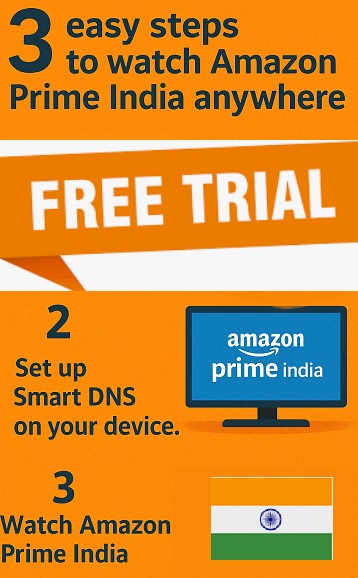
 3 Easy Steps to Watch Amazon Prime India Anywhere
 3 Easy Steps to Watch Amazon Prime India Anywhere
- Start your FREE TRIAL Aeroshield account >>>
- Set up Smart DNS on your device (phone, TV, laptop—or on the router for your whole home).
It’s a quick one-time change to DNS. - Open Prime Video and enjoy the
Amazon Prime India library—shows, movies, sports, all there.
 Start your
  Set up Smart DNS on your device


 (phone, TV, laptop—or on the router for your whole home).
 Open Prime Video and enjoy the
Tip: If the app was already open, force-close and relaunch after DNS changes.
VPN vs Smart DNS — what’s better for streaming?
| Feature | Smart DNS | Traditional VPN |
|---|---|---|
| Speed for HD/4K | ✓ Near full ISP speed | ✗ Often slower due to encryption |
| Works on all devices | ✓ TVs, consoles, Fire TV, routers | ✗ App support varies; some TVs limited |
| Setup complexity | ✓ One-time DNS change | ✗ App installs & logins on each device |
| Cost for streaming use | ✓ Typically cheaper | ✗ Usually higher monthly fees |
| Encrypts all traffic | ✗ Not the goal (focus is streaming) | ✓ Full-tunnel encryption |
For streaming specifically, Smart DNS is the smooth, no-fuss option. If you need encryption/privacy for browsing, you can always use a VPN alongside.
Final word
If your goal is simple—watch Amazon Prime India from outside India—Aeroshield Smart DNS gets it done quickly and keeps your speed. Start the FREE TRIAL, set it up once, and enjoy your home library wherever you are.



Recent Comments