
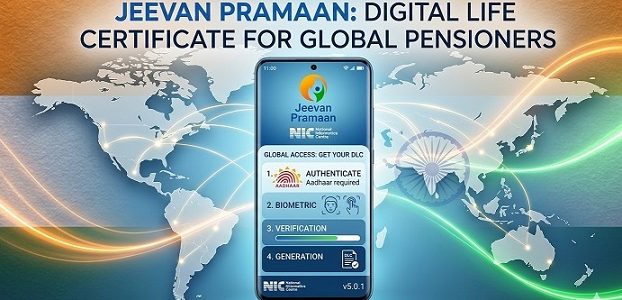
Submitting your Life Certificate through Jeevan Pramaan has become essential for pensioners in India. If you fail to submit it on time, your pension payments from banks like SBI, HDFC, Canara Bank, or other government institutions can be suspended. This creates serious financial stress for retirees and their families.
For Non-Resident Indians (NRIs) and pensioners living abroad, the question does Jeevan Pramaan work outside India is critical. The good news is yes, it’s possible. The bad news is that many people face frustrating errors when trying to use the Jeevan Pramaan app outside India. This guide will show you exactly how to successfully submit your Jeevan Pramaan life certificate outside India without technical headaches.
🚫 Why Jeevan Pramaan App Doesn’t Work from Abroad
If you’ve tried using the Jeevan Pramaan face app outside India and received errors like “Network Error,” “Server not reachable,” or “Connection failed,” you’re not alone. Many users report that Jeevan Pramaan not working outside India is a common problem.
The reason is technical but straightforward: UIDAI and EPSO servers implement strict geo-blocking measures. They filter and block IP addresses from data centers and known VPN services. When you connect from the USA, UK, Canada, UAE, or any other country, the servers detect your foreign IP address and deny access to protect against unauthorized requests.
Standard VPN services won’t help because their IP addresses are already blacklisted by Indian government portals. This is why the Jeevan Pramaan app not working outside India is such a widespread issue among the NRI community.
📋 Prerequisites Before You Start
Before attempting to submit your Jeevan Pramaan app outside India for pensioners, ensure you have the following:
📱 1. Active Indian Mobile Number 🇮🇳
You MUST have an active Indian mobile number linked to your Aadhaar card to receive the OTP. This is non-negotiable. Virtual numbers or VoIP services will NOT work.
If your SIM card is in India, arrange one of these options:
- Ask a trusted family member to read the OTP to you via video call
- Set up SMS forwarding if your mobile operator supports it
- Keep your Indian SIM in an old phone connected to WiFi in India
🆔 2. Valid Aadhaar Card
Keep your Aadhaar number handy. You’ll need it for the entire process.
🌐 3. Stable Internet Connection
Ensure you have a reliable internet connection on your device.
📲 4. Jeevan Pramaan Face App
Download the official Jeevan Pramaan Face App from Google Play Store or Apple App Store.
Related Resource: If you also need to access the official UIDAI portal to download your Aadhaar card or check your Aadhaar status from abroad, we’ve covered that in detail here: How to Access Aadhaar Website Outside India
⚡ Step-by-Step Guide to Submit Jeevan Pramaan from Abroad
🔒 Step 1: Establish a Secure Connection
To bypass the geo-restrictions, you need a connection that makes you appear as if you’re browsing from a regular Indian home internet connection. This is the key to solving the Jeevan Pramaan not working outside India problem.
🛡️ Get Instant Access to Jeevan Pramaan
One-time payment. No subscription required.
Don’t risk your pension payments by struggling with Jeevan Pramaan app outside India errors or using unreliable methods that don’t work. Our solution is specifically designed to help NRIs and pensioners successfully submit their Life Certificates from anywhere in the world.
⚙️ How It Works:
- Choose Your Plan: Select our monthly access plan (perfect for Life Certificate submission)
- Instant Delivery: Receive setup instructions and configuration details via email immediately after payment
- Quick Setup: Get connected in under 5 minutes following our simple guide
- Submit Successfully: Complete your Jeevan Pramaan submission without errors
One-time payment. No subscription required.
✅ Step 2: Verify Your Connection
Once connected, verify that your connection is working properly by attempting to access the Jeevan Pramaan portal or app.
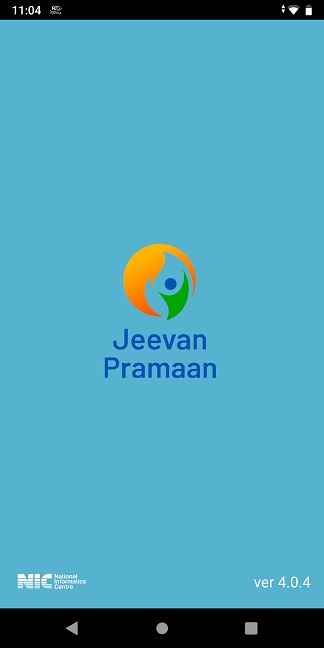
Caption: Successful connection to Jeevan Pramaan servers through secure residential connection
📱 Step 3: Open Jeevan Pramaan Face App
Launch the Jeevan Pramaan Face App on your smartphone. Make sure you’re still connected to your secure Indian connection.
📝 Step 4: Enter Your Aadhaar Details
- Enter your 12-digit Aadhaar number
- Enter your mobile number (the Indian number linked to Aadhaar)
- Click on “Send OTP”
🔑 Step 5: Enter the OTP
- Wait for the OTP on your Indian mobile number
- Have your family member in India read it to you via video call, or check your forwarded SMS
- Enter the OTP in the app
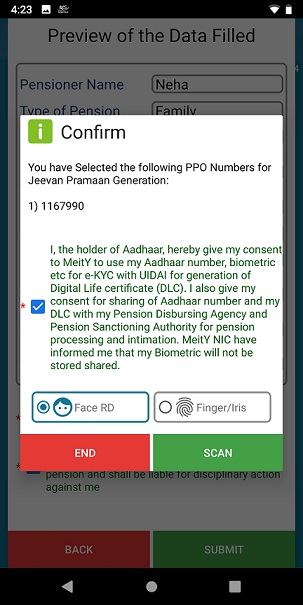
📸 Step 6: Complete Biometric Authentication
- Follow the on-screen instructions for face recognition
- Ensure good lighting and a plain background
- Remove glasses if you wear them
- Keep your face within the frame shown on screen
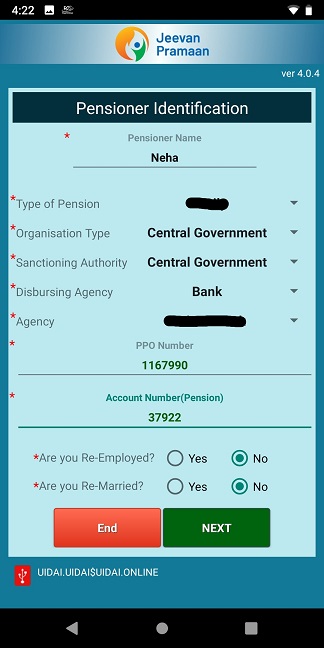
📥 Step 7: Download Your Life Certificate
Once successfully authenticated, you can download your Digital Life Certificate (DLC). The certificate will be sent to your registered mobile number and email address as well.
🛡️ Advanced Security: How We Protect Your Data
We understand that submitting Jeevan Pramaan requires entering sensitive information including your Aadhaar number and biometric data. Your privacy and security are our top priorities.
🔏 Military-Grade Encryption
All your internet traffic is protected with advanced end-to-end encryption. Your data travels through a secure cryptographic tunnel that cannot be intercepted by your ISP, hackers, or third parties.
🕶️ Traffic Obfuscation Technology
Our servers use sophisticated traffic masking techniques that make your VPN connection indistinguishable from regular HTTPS web traffic. This bypasses Deep Packet Inspection (DPI) systems and ISP-level blocking commonly used in various countries.
🚫 Strict No-Logs Policy
We do not store connection logs, IP addresses, browsing history, or any activity data. Most importantly, we physically cannot see or intercept your personal data (Aadhaar number, OTPs, biometric information) because everything is encrypted on your device before it enters our secure tunnel.
🖥️ Server Security
Our infrastructure is designed with security-first architecture, ensuring that your connection remains stable and private throughout the Life Certificate submission process.
🛠️ Troubleshooting Common Issues
Even with the right connection, you might encounter some challenges. Here’s how to resolve them:
📍 GPS/Location Mismatch Error
Problem: The Jeevan Pramaan Face App may show an error if your GPS location doesn’t match your IP address location.
Solution:
- Keep GPS enabled on your phone
- If the error persists, use the “Mock Location” feature on Android to set a fake location in India
- iOS users can try using location spoofing apps (requires additional setup)
💡 Poor Lighting or Background Issues
Problem: The face recognition fails repeatedly.
Solution:
- Use a plain, light-colored background (white or off-white wall works best)
- Ensure bright, even lighting on your face (natural daylight is ideal)
- Remove glasses, caps, or anything covering your face
- Hold the phone at eye level, about 12 inches away
📲 App Crashes or Freezes
Problem: The app crashes during the submission process.
Solution:
- Clear the app cache: Settings → Apps → Jeevan Pramaan Face App → Storage → Clear Cache
- Force-stop the app and restart it
- Ensure you have the latest version of the app installed
- Restart your phone and try again
🔑 OTP Not Received
Problem: You’re not receiving the OTP on your Indian number.
Solution:
- Verify that your mobile number is correctly linked to your Aadhaar
- Check if your Indian SIM is active and has network coverage
- Ask your family member in India to check if they received the SMS
- Wait 2-3 minutes and request OTP again (don’t spam the “Send OTP” button)
📡 Connection Drops During Submission
Problem: Your connection disconnects in the middle of the process.
Solution:
- Ensure stable internet connectivity before starting
- Don’t switch between WiFi and mobile data during the process
- Complete the entire submission in one sitting
- If disconnected, clear the app cache and start over
💡 Important Tips for Success
- Timing Matters: Don’t wait until the last minute. The Jeevan Pramaan submission period typically runs from November to January, but start early to avoid last-minute technical issues.
- Test Before the Actual Submission: If possible, test your connection a few days before you plan to submit the actual Life Certificate.
- Keep Family in the Loop: Coordinate with your family members in India who will help you with the OTP. Schedule a video call when you’re ready to submit.
- Save Your Certificate: Once downloaded, save the Life Certificate PDF in multiple locations (phone, email, cloud storage) and share it with your pension disbursing bank if required.
- One Submission Per Year: Remember, you only need to submit the Life Certificate once a year. Make it count by following this guide carefully.
✉️ Email Support Available
Need help with setup or have questions during the submission process? Our technical support team is available via email at [YOUR EMAIL]. We typically respond within [X] hours and will guide you through the entire process until your Life Certificate is successfully submitted.
Submitting Jeevan Pramaan life certificate outside India doesn’t have to be stressful. With the right tools and this step-by-step guide, you can successfully complete the process from anywhere in the world without traveling to India.
Remember:
- You need an active Indian mobile number for OTP
- Standard VPNs won’t work due to UIDAI blocking
- A secure residential connection is essential
- Follow the troubleshooting tips if you encounter issues
- Don’t wait until the deadline—submit early
Disclaimer: This guide is for informational purposes only. We are not affiliated with UIDAI, EPSO, or any government of India entity. Users are responsible for ensuring compliance with all applicable laws and regulations when accessing Indian government services from abroad.


Recent Comments