

Table of Contents
Executive Summary: For Indian expats and NRIs in Germany, accessing the Unique Identification Authority of India (UIDAI) portal often results in “Access Denied” errors or timeout issues. This occurs because while the main UIDAI informational site is globally accessible, critical services like the MyAadhaar Portal, e-Aadhaar downloads, and the Self Service Update Portal (SSUP) utilize geo-fencing to restrict access to Indian IP addresses for security reasons. To bypass these restrictions in 2026, users must utilize a secure Aeroshield VPN with Indian servers to virtually relocate their connection. This article provides a technical roadmap for accessing these essential services, ensuring your biometric and demographic data remains protected while you manage your digital identity from abroad.
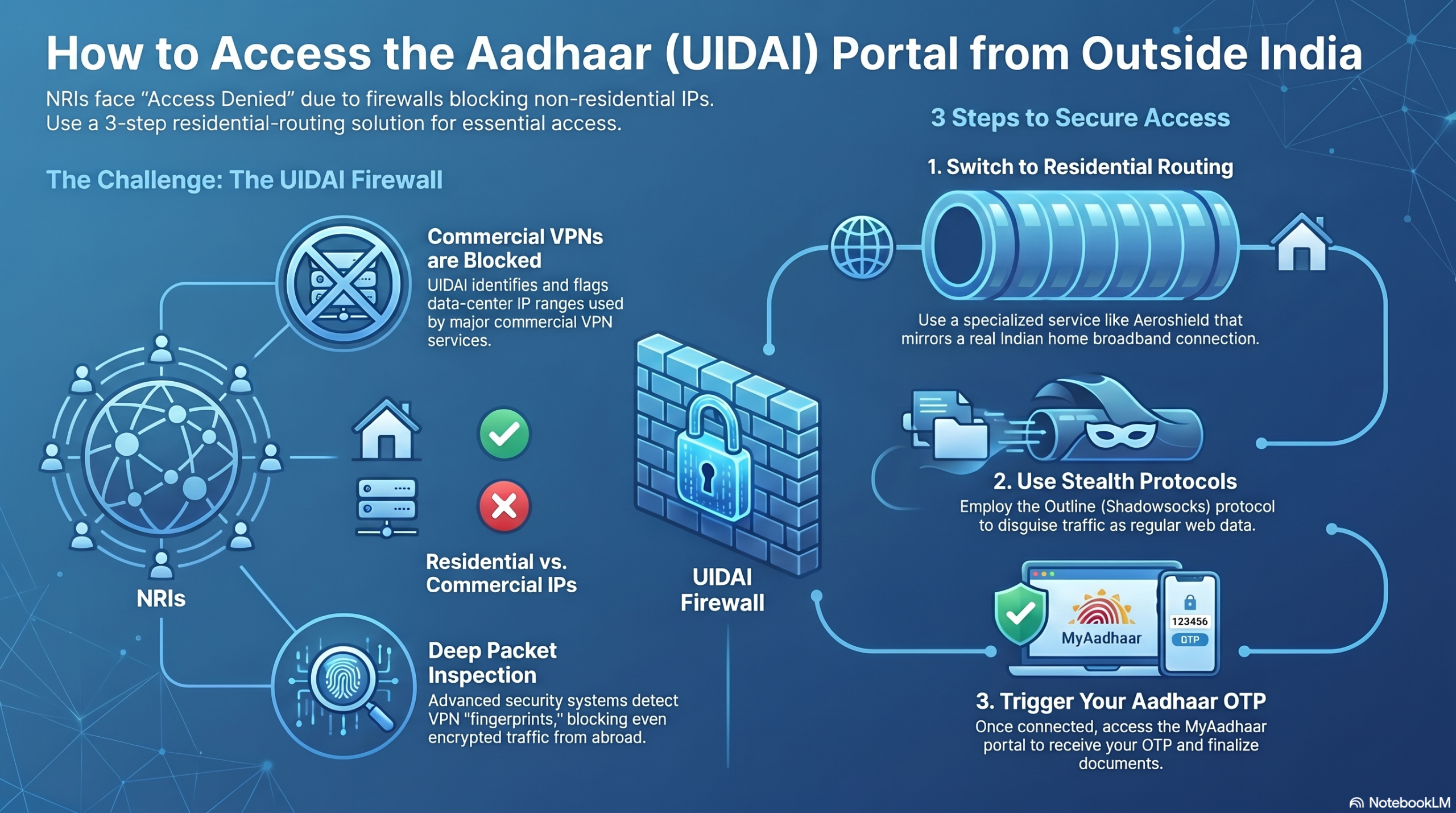
1. Why is the UIDAI Website Blocked in Germany?
The UIDAI infrastructure uses Geo-Based Policy Enabling to protect the Resident Portal from international cyber threats. While you can read general FAQs from Berlin or Munich, the transactional layers are shielded.

-
Security Protocols: High-traffic government portals often block non-Indian IP ranges to mitigate Distributed Denial of Service (DDoS) attacks.
-
Data Privacy: By restricting access to domestic networks, UIDAI reduces the “attack surface” available to global bad actors.
-
Service Limitations: Certain features like the Aadhaar Linking Status and e-Aadhaar downloads are specifically designated for domestic IP verification.

2. Step-by-Step: Accessing Aadhaar Services from Abroad
To successfully interact with the MyAadhaar portal from Germany, follow this structured deployment of a secure connection.
-
Get a Secure Aeroshield VPN – provider that maintains physical or “virtual” servers in India.
-
Connect to an Indian Node: Set your location to Mumbai or Delhi. This assigns your device an Indian IP address.
-
Clear Browser Cache: Before visiting the site, clear your cookies to ensure the portal doesn’t detect your previous German session.
-
Visit myaadhaar.uidai.gov.in: Navigate directly to the resident portal. You should now see the login screen rather than a “403 Forbidden” error.
3. Comparing Access Methods: Web vs. Mobile App
Depending on your specific needs—whether it’s updating an address or checking authentication history—the platform you choose matters.
| Feature | MyAadhaar Web Portal | mAadhaar Mobile App |
| Availability | Requires VPN (Indian IP) | Works on German Networks (often) |
| Download e-Aadhaar | Yes (PDF format) | Yes (Digital card) |
| Update Address | Yes (Requires documents) | Limited |
| Offline e-KYC | Yes | Yes |
Note: Even if the mAadhaar app works on your German mobile network, many users find that OTP delivery to international roaming numbers can be delayed. Ensure your registered Indian SIM is active.
4. Troubleshooting Common Error Codes
If you still face issues while connected to a VPN, you may be encountering specific UIDAI system responses.
-
Error 504 (Gateway Timeout): This typically means the VPN server is congested. Switch to a different Indian city in your VPN app.
-
Error 998 (Invalid Aadhaar Number): Double-check your entry; this is a data entry error, not a connection issue.
-
Technical Error 930-939: These are internal UIDAI server errors. In this case, wait 30 minutes and try again, as the Indian servers may be undergoing maintenance (typically between 12:00 AM and 2:00 AM IST).
5. Security Best Practices for NRIs
Accessing sensitive government data from overseas requires a “Hardened” approach to digital hygiene.
Always Use a Paid VPN: Free VPNs often sell traffic data and may use “blacklisted” IP addresses that the UIDAI firewall has already flagged.
Verify HTTPS: Ensure the URL begins with https:// and has the padlock icon. Phishing sites often mimic the Aadhaar portal to steal biometric credentials. In 2025, the UIDAI launched the Aadhaar Mascot “Udai” and enhanced chatbot features to help verify official communication. If a site looks suspicious, use the “Ask Aadhaar” chatbot to confirm you are on the official domain.


Recent Comments