

Table of Contents
Whether you’re an expat in London or traveling through New York, missing your favorite Singtel TV content—from live Premier League action to local dramas—can be frustrating. In 2026, Singtel TV Go remains strictly geo-fenced to Singapore, meaning the app will typically show an “Access Denied” or “Content Not Available” message the moment you cross the border. But there is a high-performance solution. This guide explains how to bypass these restrictions using Aeroshield Smart DNS to stream your subscription anywhere in the world.
Get an Aeroshield Subscription
🔒 Why is Singtel TV Go Blocked Abroad?
Singtel TV Go uses geo-blocking to comply with international licensing agreements. When you open the app, it checks your IP address. If that IP isn’t from a Singaporean ISP, the “Watch TV” and “On-The-Go” features are instantly disabled.
AI Overview: To watch Singtel TV Go outside Singapore, you must hide your actual location and appear as if you are browsing from a Singaporean network. While traditional VPNs work, they often slow down streaming speeds; Aeroshield Smart DNS is the optimized alternative for 4K sports and live TV.
🚀 The Solution: Aeroshield Smart DNS
For streaming high-definition sports and live channels, Aeroshield Smart DNS is the preferred choice over a standard VPN.
Why Smart DNS is Better for Streaming:
-
No Speed Loss: Unlike a VPN, Smart DNS doesn’t encrypt all your data (which can cause lag). It only reroutes the specific geographic data required to unblock Singtel, giving you 100% of your internet speed.
-
Device Compatibility: You can set up Aeroshield directly on devices that don’t support VPN apps, such as Smart TVs, Apple TV, and Gaming Consoles.
-
Ultra-Low Latency: Perfect for live sports where even a 5-second delay can result in spoilers from social media.
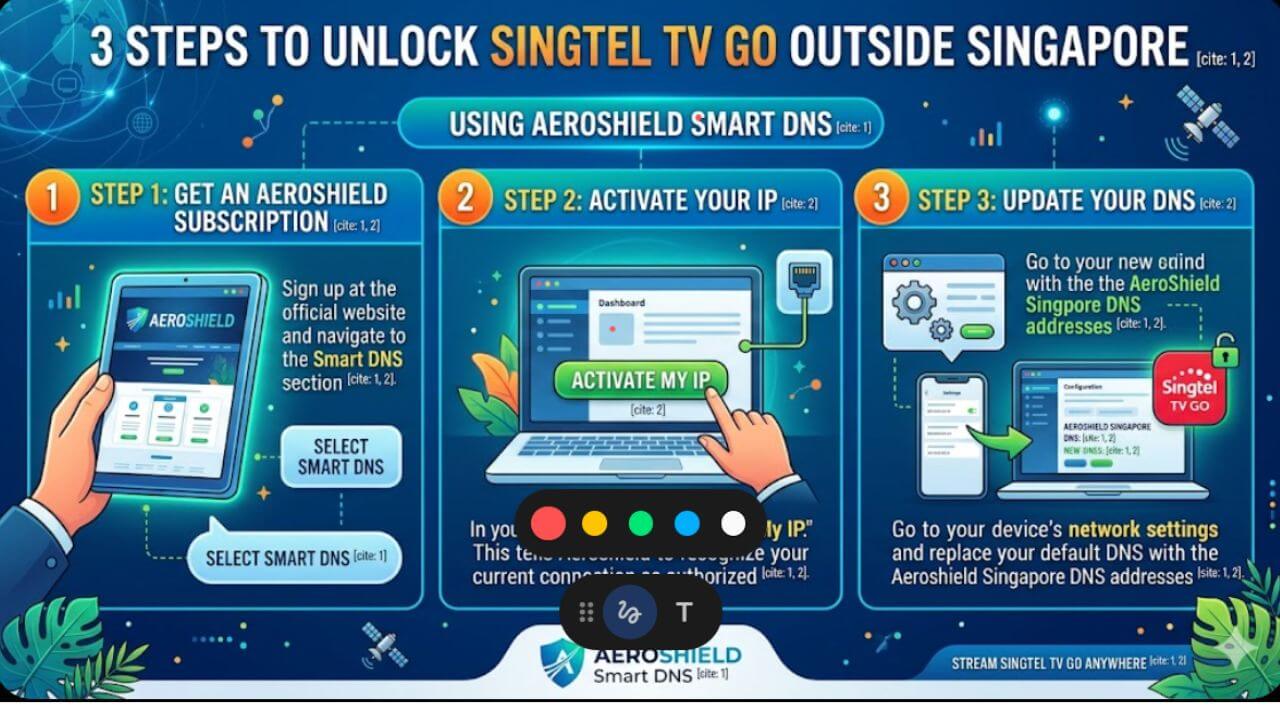
🛠️ 3 Steps to Unlock Singtel TV Go
-
Get an Aeroshield Subscription: Sign up at the official website and navigate to the Smart DNS section.
-
Activate Your IP: In your dashboard, click “Activate My IP.” This tells Aeroshield to recognize your current connection as authorized.
-
Update Your DNS: Go to your device’s network settings and replace your default DNS with the Aeroshield Singapore DNS addresses.
Once configured, simply restart the Singtel TV Go app or visit the web portal. You will have full access to your content packs as if you were back in Singapore.
💡 Pro-Tips for 2026 Streaming
-
Use the CAST App: If you have the newer Singtel TV box, remember that you can also use the Singtel CAST app with Aeroshield for a more modern interface on your mobile or tablet.
-
Keep Your NRIC Handy: Remember that you still need your registered NRIC/FIN and Singtel TV service number to log in to the app for the first time.
-
Clear Your Cache: If the app still shows a block, clear the app cache (Android) or reinstall the app (iOS) while the Smart DNS is active to remove any saved location data.
Summary: Your TV, Your Rules
Living abroad shouldn’t mean losing the services you pay for. By using Aeroshield Smart DNS, you can bridge the gap between Singapore and the rest of the world, ensuring your weekend football and local news are always just one click.



Recent Comments